
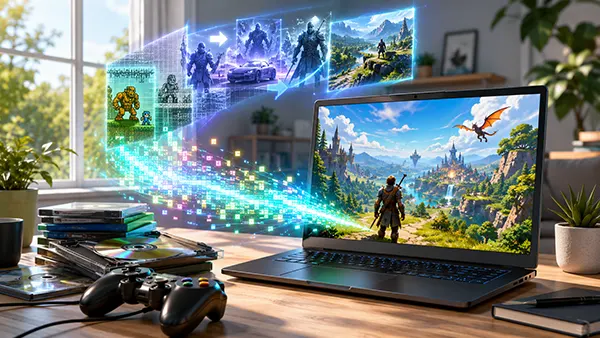
Xbox backward compatibility changed significantly in July 2026 because Microsoft began bringing selected original Xbox games to Windows PCs and gaming handhelds. The change is useful for people who bought certain games digitally on console, but it does not turn every old Xbox purchase into a PC copy. Access depends on the individual title, the type of licence attached to the Microsoft account, regional availability and the way the game has been prepared for Windows. Owners therefore need to separate three different routes: the new backward compatibility release for classic games, Xbox Play Anywhere for titles sold with console and PC rights, and Xbox Cloud Gaming for eligible games that run remotely. Each route provides a different form of access, and understanding that distinction prevents unnecessary repurchases or incorrect assumptions about an old library.
Microsoft introduced Xbox Backward Compatibility on PC in early release on 22 July 2026. The first stage covers four games from the original Xbox generation rather than the complete catalogue of backward-compatible Xbox and Xbox 360 titles available on modern consoles. Those four games are BLiNX: The Time Sweeper, Conker: Live and Reloaded, Crimson Skies: High Road to Revenge and Fuzion Frenzy. They can now run on Windows PCs and supported Windows handhelds through the Xbox PC app. This is the first official programme that directly carries selected original Xbox console licences into locally playable Windows versions, so it is more than a simple library display or a cloud shortcut.
For existing owners, the most important rule is straightforward: a digital console licence for one of the four launch games carries over to PC and a supported handheld at no extra charge. The owner must sign in with the same Microsoft account that holds the purchase. The game should then appear in the Xbox library as available to install or play. Each launch title is also sold separately for PC and is included with all current Xbox Game Pass plans, giving new players more than one access route. The carry-over applies to the named games, not automatically to every original Xbox title bought in the past.
The phrase backward compatibility can create unrealistic expectations because it has traditionally described a much larger console feature. Xbox Series X and Series S can run many Xbox One, Xbox 360 and original Xbox games, but the Windows release is a separate project with its own approved catalogue. A digital copy of an older console game does not become a Windows download merely because the same game works on a newer Xbox console. In July 2026, owners receive local PC rights only where Microsoft has explicitly added the title to Xbox Backward Compatibility on PC or where the game already supports Xbox Play Anywhere. Everything else must be checked individually.
The opening selection covers different types of original Xbox software. BLiNX: The Time Sweeper is a time-control action game, Conker: Live and Reloaded combines a remade single-player campaign with multiplayer content, Crimson Skies: High Road to Revenge focuses on arcade aerial combat, and Fuzion Frenzy is a party-game collection designed for short competitive sessions. Their inclusion shows that Microsoft is testing the programme with varied game styles rather than a single franchise. It also gives owners a clear way to confirm whether the new entitlement system is working: one of these four digital purchases should be visible under the correct Microsoft account in the Xbox PC app.
These releases preserve the original gameplay while adding settings expected on modern PCs. Microsoft lists resolution upscaling of up to four times the original output, VSync, full-screen and windowed modes, anisotropic filtering, improved anti-aliasing, and adjustable language and audio options. The settings do not remake the games or replace their original art, controls and design. Instead, they help old software look cleaner on current displays and give players basic control over presentation. The minimum specification is modest by 2026 standards, but Windows 11, at least 8 GB of memory and a supported graphics processor are required for local installation.
Achievements are not part of the first release build, although Microsoft plans to add them to the four launch games in the months following release and to selected original Xbox games later in 2026. This matters to owners who expect their earlier console history to appear immediately on PC. The digital entitlement is available first; achievement support follows later. Microsoft has also described the release as the beginning of a broader preservation effort, but it has not published a complete list or fixed timetable for the next additions. Owners should treat future expansion as planned work, not as confirmation that a particular favourite will receive a Windows version.
The widest existing route between Xbox consoles and Windows remains Xbox Play Anywhere. By spring 2026, more than 1,500 games supported the programme. A qualifying digital purchase through the Xbox Store or Microsoft Store gives access to the console and Windows versions without a second payment. The store page carries an Xbox Play Anywhere badge, and the game appears in the owner’s library after signing in on a supported device. Saves, owned add-ons and achievements usually move with the account, allowing progress to continue between console, PC and a Windows handheld rather than creating separate records for each device.
Xbox Play Anywhere is not retroactive for every game sold on both systems. The publisher must support the feature, and the exact product page must show the badge. An older Xbox One game may have a separate Windows edition even when both versions use the same name, so buying one does not necessarily grant the other. Editions also matter: a standard console release and a later PC bundle may be treated as different products. Before paying again, owners should inspect the Microsoft Store listing while signed in, check the Xbox Play Anywhere label and compare the included content. The library status is more reliable than assuming access from the game’s age or publisher.
Physical ownership follows different rules. Xbox Play Anywhere applies to digital games, and the 2026 PC backward compatibility launch specifically recognises digital console licences. A disc proves ownership only when compatible Xbox hardware can read and validate it; a Windows PC does not convert that disc into an account-based entitlement. Someone who owns one of the four launch games only on an original disc should not expect a free PC copy unless Microsoft later announces another verification method. The same limitation applies to most boxed Xbox One and Xbox 360 releases. Digital codes redeemed to the correct account are different because they create an online licence record.
Xbox Cloud Gaming provides another way to use older purchases on a PC without creating a native Windows version. In 2026, the Stream Your Own Game collection contains more than 1,000 supported titles. Eligible subscribers can stream selected games they own to supported devices, including Windows PCs, even when the product was originally sold as a console game. The software runs on Microsoft’s remote hardware and sends the video and controls over the internet. This can make a console-only purchase playable on a PC screen, but it is streaming access rather than a downloadable PC entitlement.
Cloud access has additional conditions. The game must be included in the current cloud-playable catalogue, the user must own the supported digital edition or have access through Game Pass, and an eligible Xbox Game Pass subscription is required. Microsoft’s 2026 information lists Ultimate, Premium and Essential as plans that can stream selected owned games, although quality, queue priority and catalogue size can differ. Regional support, internet stability and controller requirements can also affect availability. A title that appears under Stream Your Own Game today may still have licensing or regional limits, so the cloud badge in the signed-in library is the practical confirmation.
The Xbox PC app now brings installed games, cloud-playable titles and entries from supported PC stores into one library view, but appearance in that view does not change ownership. A game installed through another store remains governed by that store’s licence, while a console-only Xbox title shown through cloud access remains a streamed console version. This distinction is especially important for older purchases. A library tile can lead to a local installation, a cloud session or an external launcher, and those options are not interchangeable. Owners should open the game page and check the available action before assuming that a full Windows copy has been granted.
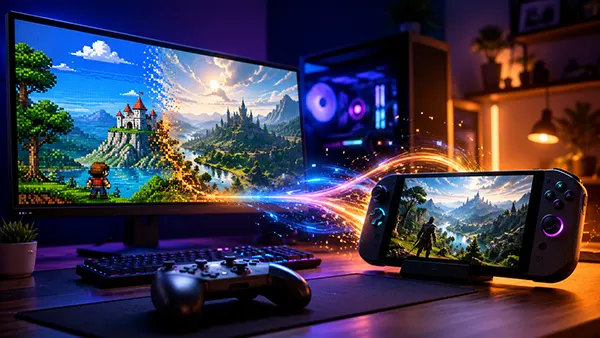
The first check is the Microsoft account. Purchases, redeemed codes, saves and cross-device rights are tied to the account that originally acquired them. Signing into the Xbox PC app with a newer or secondary account can make a valid library look empty. Owners who changed email aliases normally retain the same account, but a completely separate Microsoft account does not inherit the old licences. After confirming the sign-in, the user should search My Library for the game, open its store page and look for Install, Play with Cloud Gaming, Included with Game Pass or a purchase price. Those labels show the access currently recognised for that account.
The second check is the exact game and edition. Remasters, definitive editions, regional versions and publisher re-releases may use separate product identifiers even when the title looks nearly identical. Ownership of an Xbox 360 original does not automatically grant a later remaster for Windows, and downloadable content may not transfer unless the game supports Xbox Play Anywhere or Microsoft has included the add-on in the new release. The four July 2026 backward-compatible PC games are the clearest current exception because Microsoft has explicitly carried their digital console licences across. For other games, the store badge and account library remain the decisive evidence.
The third check is the intended way to play. Local installation uses the PC’s own hardware and may include adjustable graphics settings. Cloud play avoids a large download and can run console-only software, but it depends on a subscription, supported region and stable connection. Console backward compatibility remains the broadest option for many Xbox and Xbox 360 purchases, particularly discs. Choosing between these routes depends on what the licence actually permits rather than the device shown in the Xbox app. Owners should confirm the access type before buying a duplicate copy or subscribing solely for one game.
For owners of the four launch titles, the benefit is concrete: an old digital console purchase now supplies a locally playable Windows version with modern display options and no additional purchase. Progress and availability can also extend across console, PC, handheld and cloud through the wider Xbox account system. For owners of other older games, the immediate benefit is smaller. Their purchases may already work through Xbox Play Anywhere, may qualify for Stream Your Own Game, or may remain usable only on compatible Xbox consoles. The July release does not merge every historical console and PC licence into one universal collection.
The change is still important because it establishes a direct route for original Xbox games to return on Windows while respecting selected existing digital purchases. Earlier PC access often depended on a separate port, a remaster or cloud streaming. Microsoft is now building official Windows releases from its older catalogue and linking them to console ownership where approved. That approach can preserve games whose original hardware is ageing and can give handheld users access without carrying a console. Its value will increase only as more titles are added, so the size and pace of the catalogue will matter more than the launch announcement alone.
As of 2026, the safest summary is simple. Owners should expect free PC access only when a game is listed for Xbox Backward Compatibility on PC or marked Xbox Play Anywhere. They should expect cloud access only when the owned title appears in the supported streaming catalogue and their subscription qualifies. They should not expect a physical disc, a generic backward-compatible console licence or a similarly named PC release to create automatic Windows ownership. The new programme gives four classic digital purchases a genuine second life on PC, while the rest of an older Xbox library still depends on title-by-title support.
Mobile game monetisation in 2026 is no longer neatly divided …
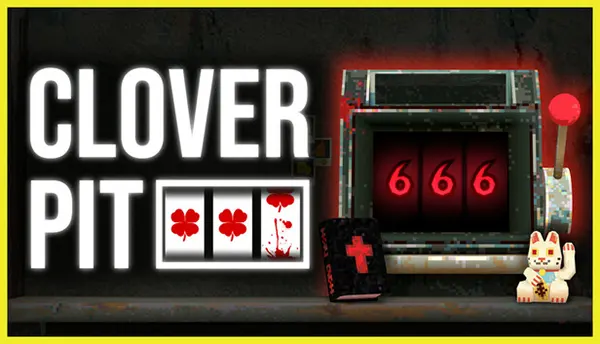
CloverPit turns one of gambling’s most familiar machines into the …